Google Maps Rank Tracker
Your Google Maps ranking changes with the searcher’s proximity, so a single rank number lies. MyAds.Guru tracks your position across a grid of points in your service area — the honest way to see where you win the map and where you disappear.
14 days free · No card · Plans from $29/mo
See the GeoGrid scanner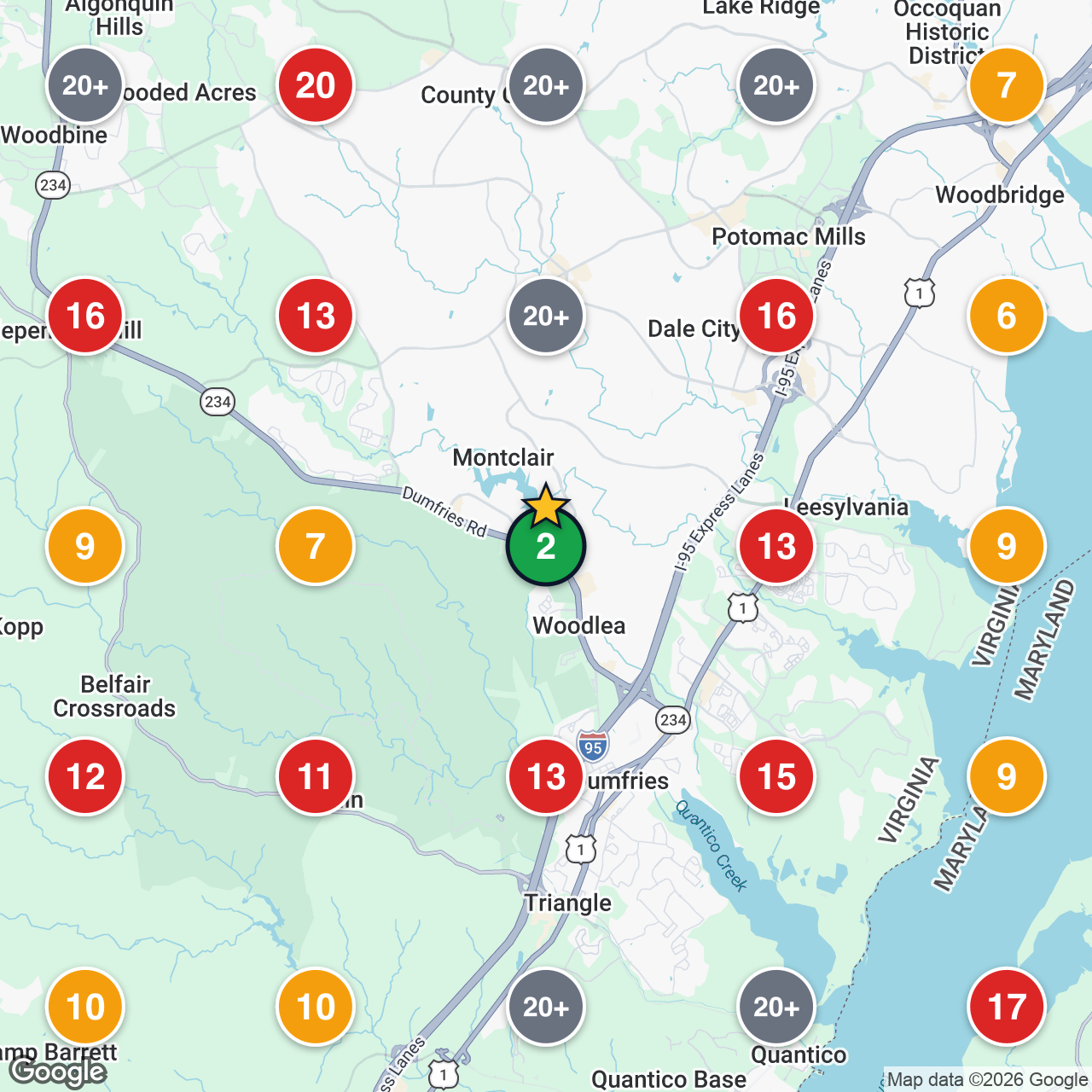
Why grid tracking
One rank number hides where you actually lose
Traditional local rank tracking reports one position for a keyword, but the local pack reshuffles for every searcher based on where they stand. A GeoGrid captures that variation on a map so you can see your true coverage — and target the exact neighborhoods where you are falling out of the pack.
What you get
A real map of your local rankings
Map-Grid Scanning
Instead of one ranking number, we check your position from dozens of points across your service area — so you see the real map of where you rank and where you vanish.
Rank From the Customer’s Location
Google Maps results change with proximity. We measure from the spots your customers actually search, not a single office address, for a true picture of local visibility.
Competitor Grids
Overlay the competitors dominating each neighborhood and see who you have to outrank, keyword by keyword, block by block.
Ranking History
Every scan is saved, so you can prove your Google Maps rankings are improving over time and tie the movement back to the work you did.
Keyword Tracking
Track the exact “near me” and service-plus-city searches that drive calls and visits, then watch each one climb across the grid.
Action, Not Just Data
Pair rankings with AI review responses, GBP posts, and profile fixes so you can actually move the map — not just stare at it.
The tracking runs on our GeoGrid scanner — see the data behind it in the GeoGrid study. To move the map, pair it with GBP management, AI review responses, and GBP posts.
How it works
Your ranking map in three steps
Connect your profile
Import your Google Business Profile and pick the keywords your customers use to find you.
Run a grid scan
We check your rank from a grid of points across your area and render it as a color-coded map.
Fix the weak spots
Spot the neighborhoods where you fade out and use the built-in tools to close the gap and re-scan.
FAQ
Questions about Google Maps rank tracking
What is a Google Maps rank tracker?
A Google Maps rank tracker measures where your business appears in the Google map results for a keyword. Because Maps rankings change based on the searcher’s location, MyAds.Guru tracks your position from a grid of points across your service area — a “GeoGrid” — instead of a single spot, giving you a far more honest view of your local ranking.
How is grid-based tracking better than a single rank number?
A single number hides the truth: you might rank #1 outside your front door and disappear a few miles away. A grid shows your rank at many locations at once, so you can see your real coverage, find the neighborhoods you are losing, and prioritize where to improve.
What is the difference between this and the GeoGrid scanner?
This page is the category overview — what local rank tracking is and why grid-based tracking matters. The GeoGrid scanner is the actual product that runs the scans, and the GeoGrid study is our data-backed proof of how it works. Both are linked throughout this page.
Can I track competitors on the map too?
Yes. You can overlay the competitors winning each part of the grid, compare their coverage to yours keyword by keyword, and see exactly who you need to outrank in each neighborhood.
See where you really rank on the map
Run your first grid scan free and get an honest, neighborhood-by-neighborhood view of your Google Maps rankings.