See Where You Rank on Google Maps — Everywhere
Drop a grid on any location and instantly see your Google Maps ranking at every point. Color-coded heatmap, competitor analysis, and actionable insights for your local SEO strategy.
Find Your Business
Your Rankings, Visualized
Every cell is a search from a different location, just like the real report shown here. Find your business, start your free trial, and see your own map in minutes.
Find Your Business
We'll set everything up for you when you sign up
Pick your business and we’ll prefill your signup.
Claim your free trial7 days free — no card needed, cancel anytime.
GeoGrid Scan
5×5 Grid · 25 scan points
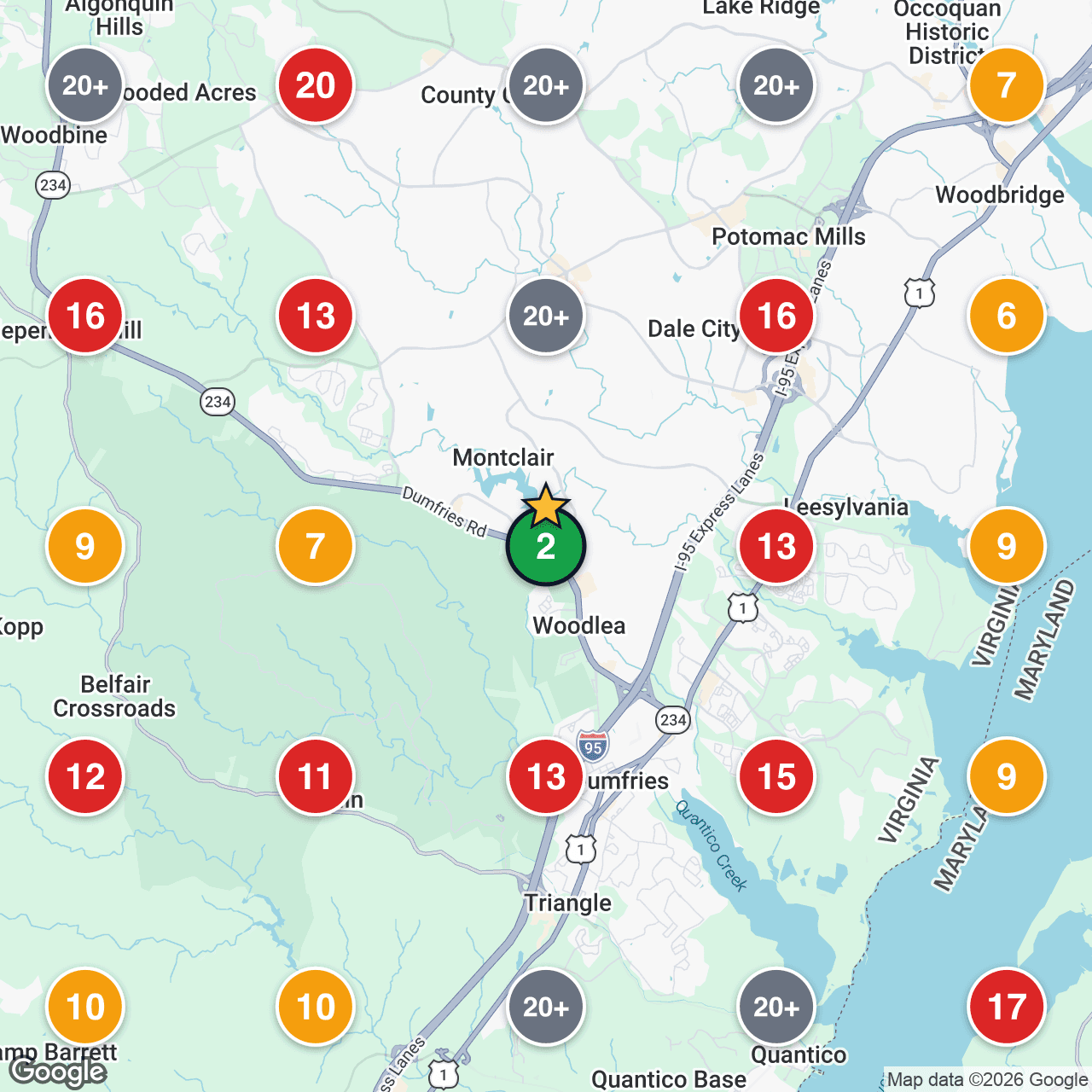
Actual report output — 5×5 grid, real rankings
Avg Rank
13.4
Top 3
4%
Visibility
76%
Simple Process
How It Works
Step 01
Place Your Grid on the Map
Click anywhere on the map to center your scanning grid. Target your business location, a competitor, or any area in your market.
Step 02
Choose Grid Size & Radius
Select from 5×5, 7×7, or 9×9 grids. Set your scan radius from 1 to 50 miles to cover your entire service area.
Step 03
Get Instant Rank Data
See your rank at every grid point with a color-coded heatmap, plus full competitor analysis and quadrant breakdown.
Capabilities
Everything You Need to Dominate Local
GeoGrid gives you the complete picture of your local search presence with powerful analysis tools.
Color-Coded Heatmap
See your rank at every grid point with intuitive color coding — green for top positions, red for areas that need work.
Click-to-Place Grid
Position your scanning grid anywhere on the map. Target specific neighborhoods, competitor locations, or service areas.
Competitor Analysis
See which competitors rank at every grid point. Understand who dominates each micro-area of your market.
Quadrant Analysis
Break your grid into quadrants to identify your strongest and weakest geographic areas at a glance.
Printable Reports
Generate full PDF reports with the heatmap snapshot, stats, and competitor data. Perfect for client presentations.
Scan History
Track how your rankings change over time. Compare scans week-over-week to measure the impact of your SEO efforts.
Grid Options
Choose Your Scan Size
Larger grids give you more data points for a detailed view of your ranking landscape.
Your 7-day free trial includes 3 scans. Every scan shows its cost before you run it.
Start Scanning — Free 7-Day Trial
Sign up, import your Google Business Profile, and run your first GeoGrid scan immediately. See exactly where you rank — everywhere.
No card needed. Nothing is charged unless you pick a plan.